
SharkNinja2026
ZenPro D10
Live action and CG working together to explain a robot vacuum, from its first setup to the systems inside it.
- My role
- Storyboards · Shoot art direction · CG execution
- Studio
- Carbon
My part in the work
I developed the storyboard with Charles Cheong, selected models and products, supported art direction on the shoot, and executed the CG. On set, I checked that each shot covered the required instructional steps while keeping the composition and product presentation consistent with the visual direction. The work was made with the wider Carbon team.
Making the product understandable
SharkNinja needed a product content toolkit for the ZenPro D10 across Japan, Korea and Taiwan. The films had to explain what a user does during setup and what the machine does while it cleans.
We used live action for the practical steps and CG to make the internal processes visible. A calm domestic setting, warm neutrals, pale wood and soft daylight connected the two.
Every step, considered
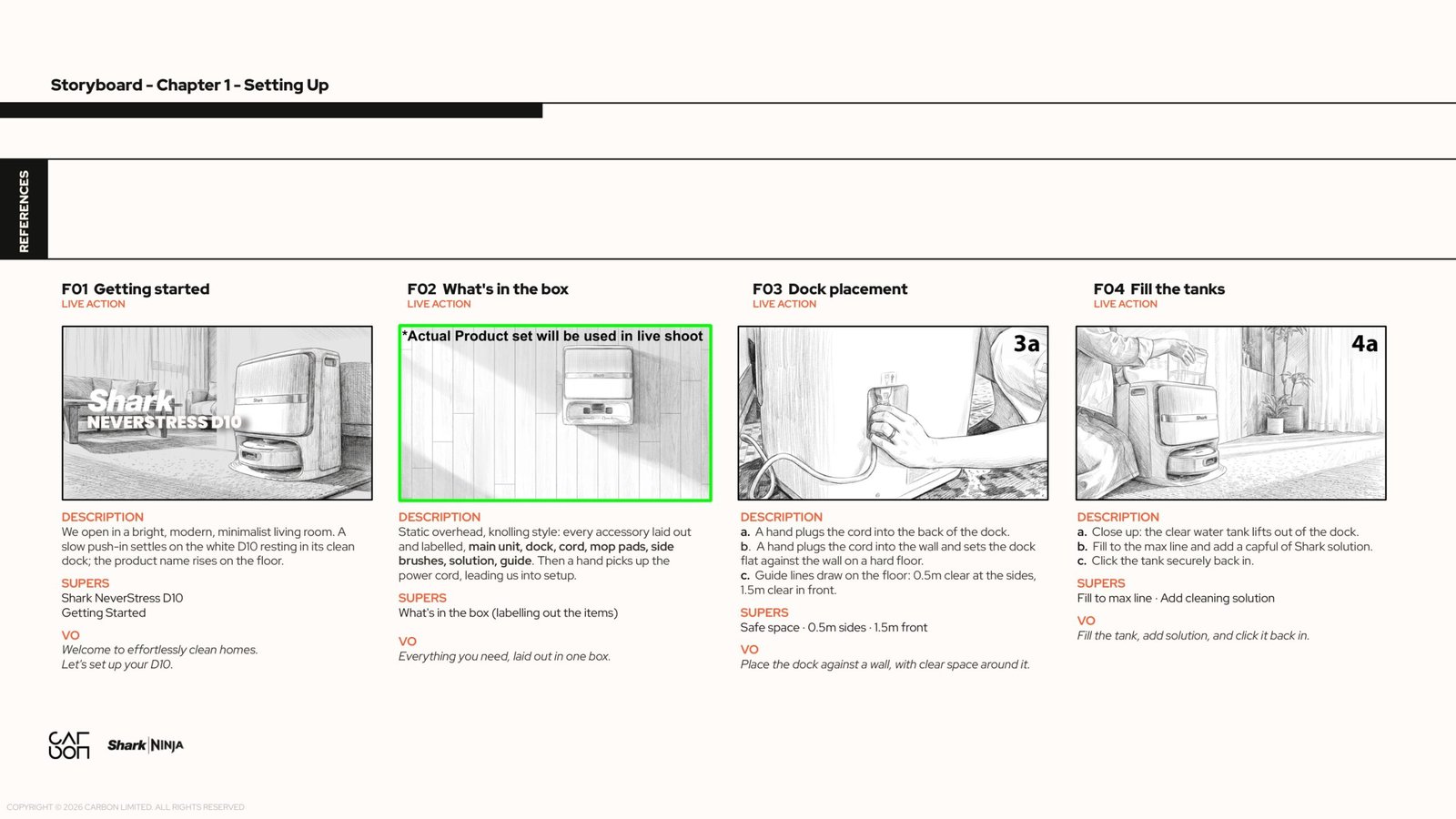
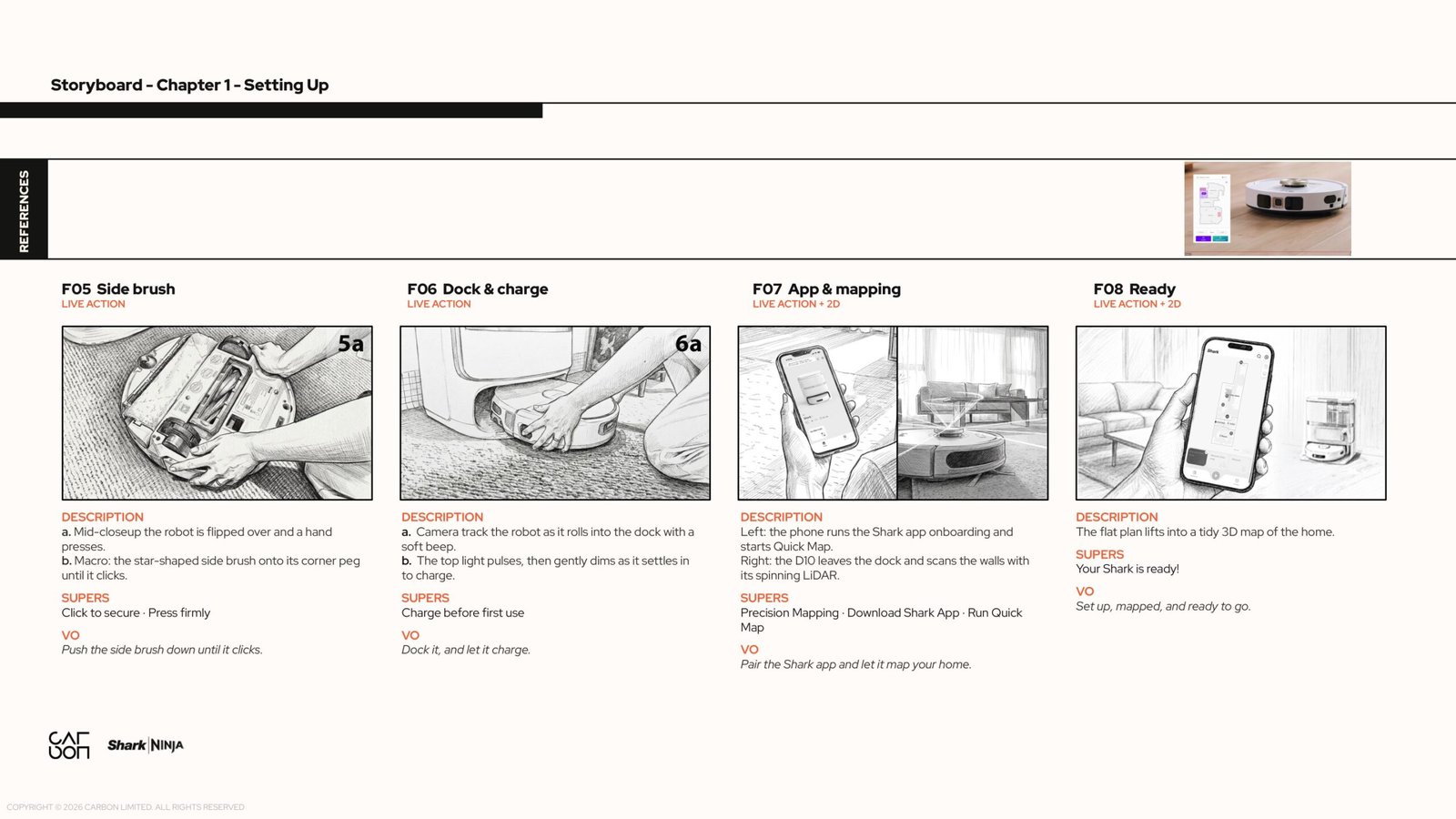
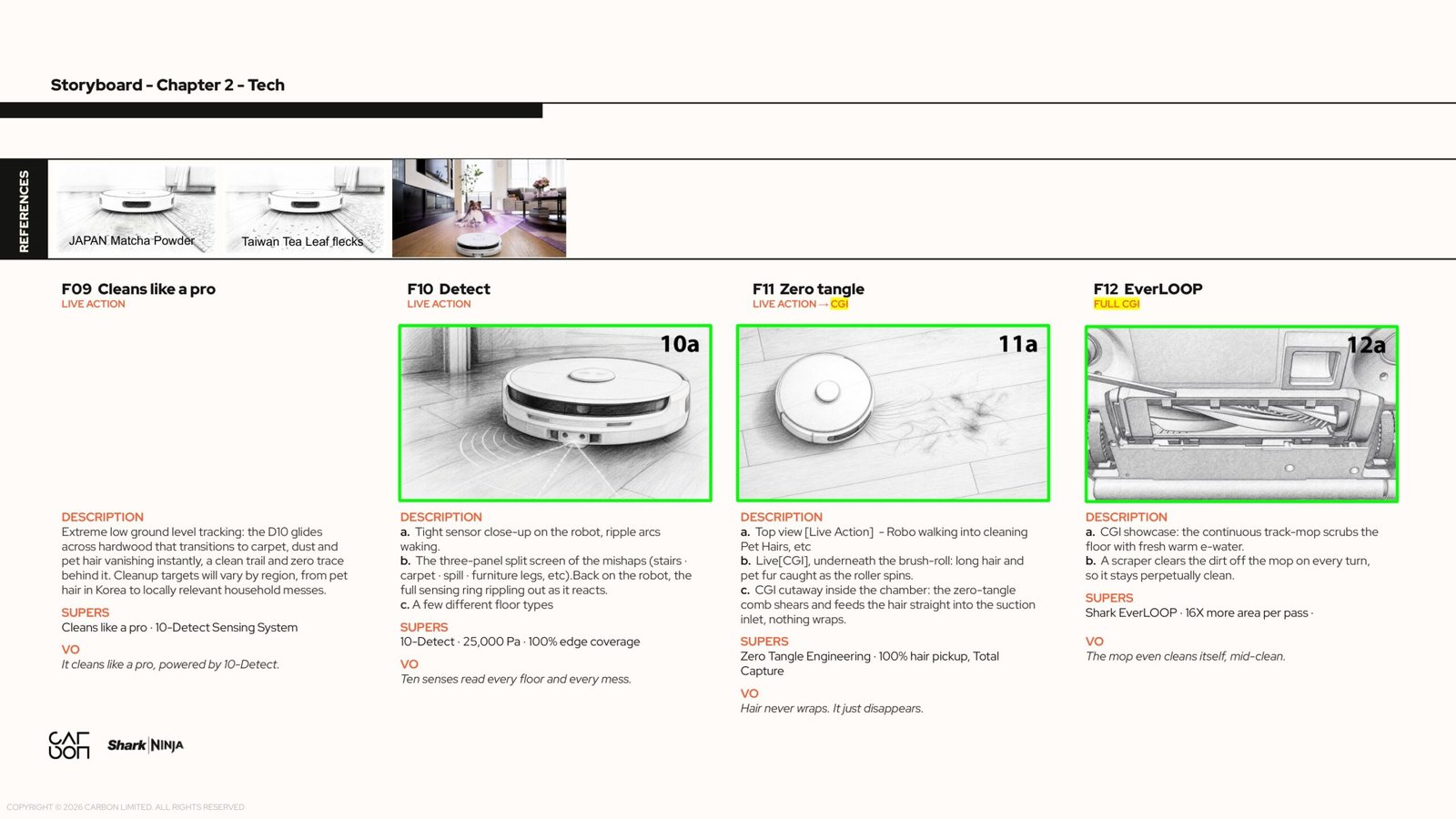
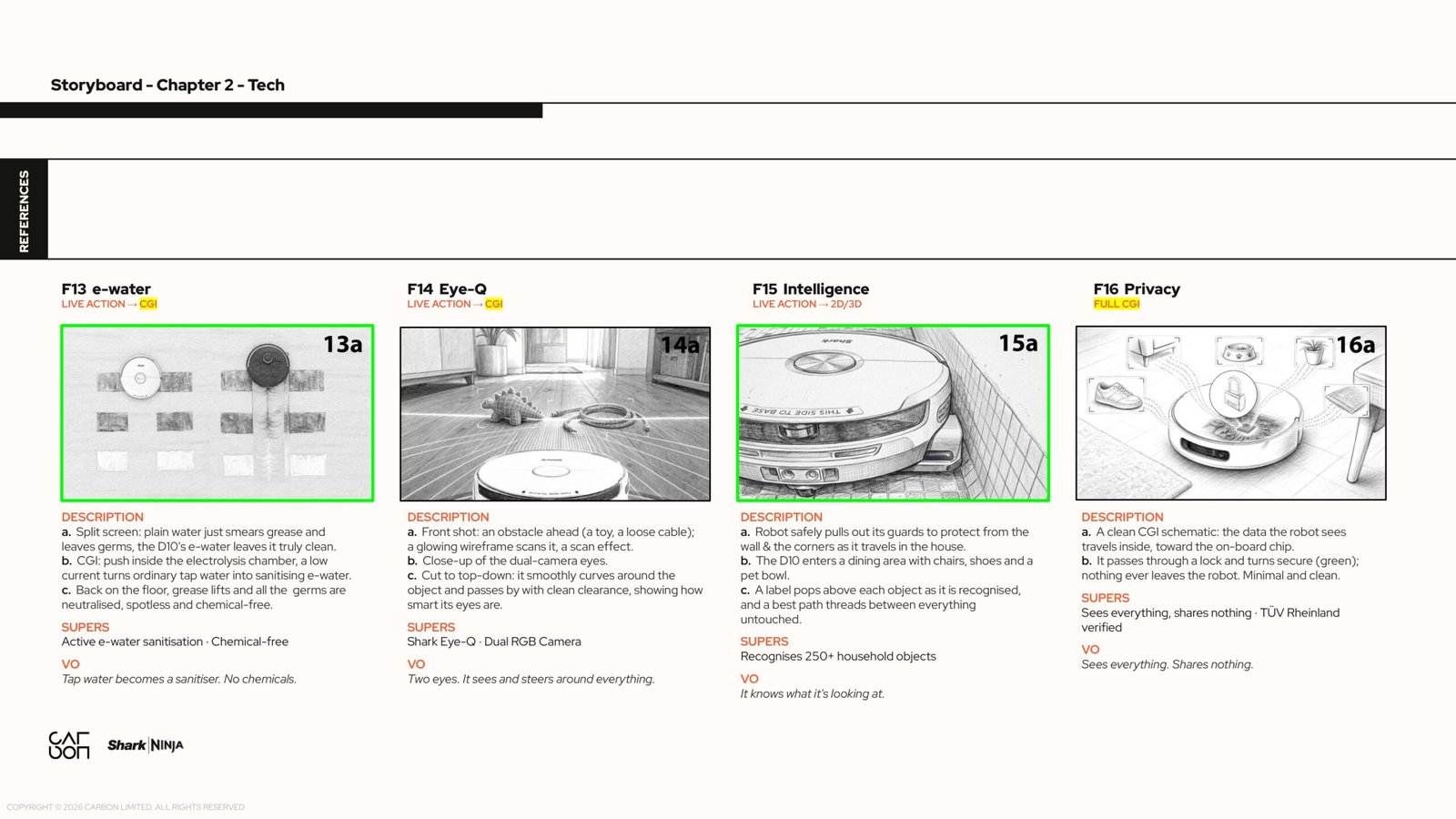
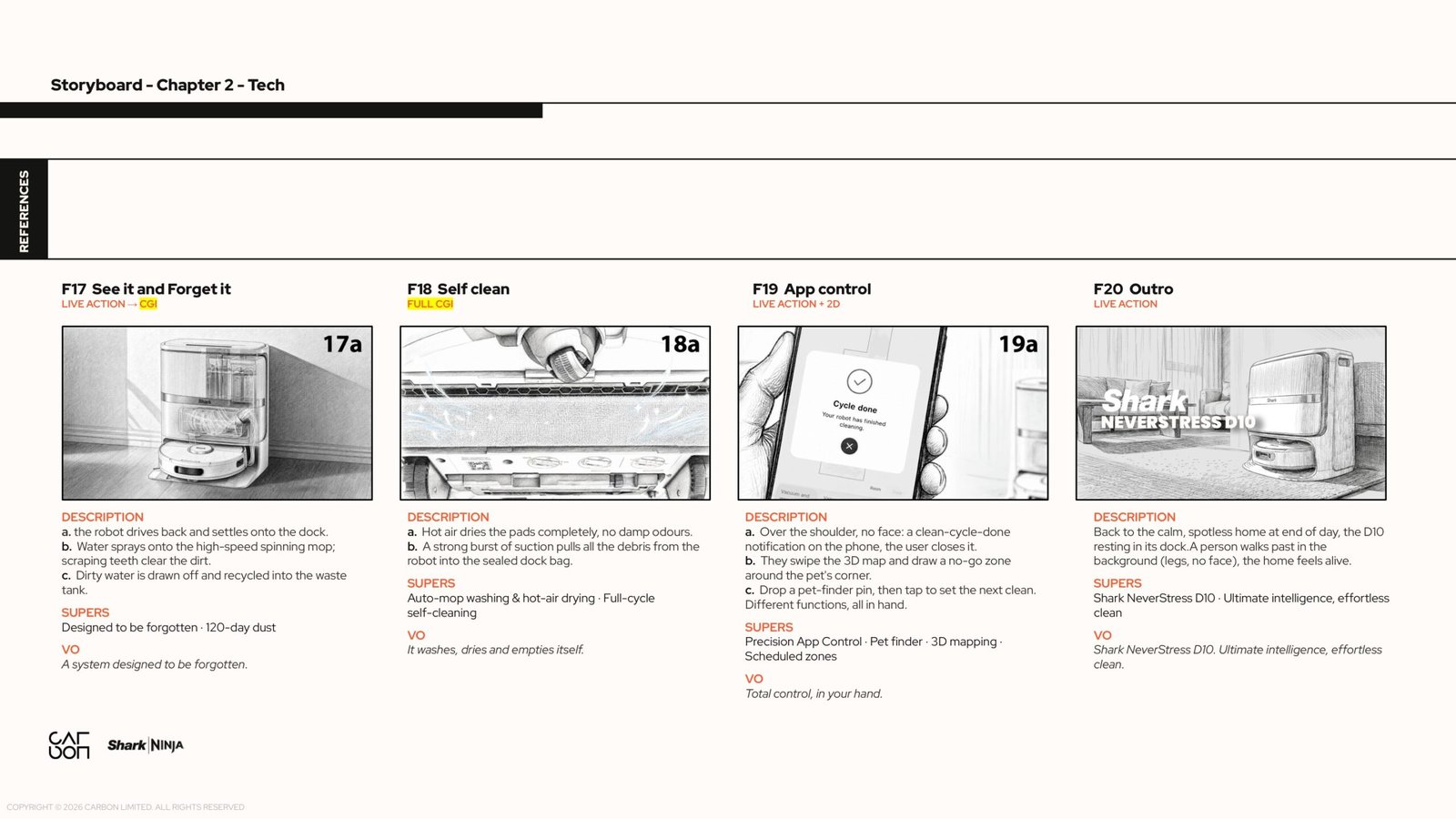
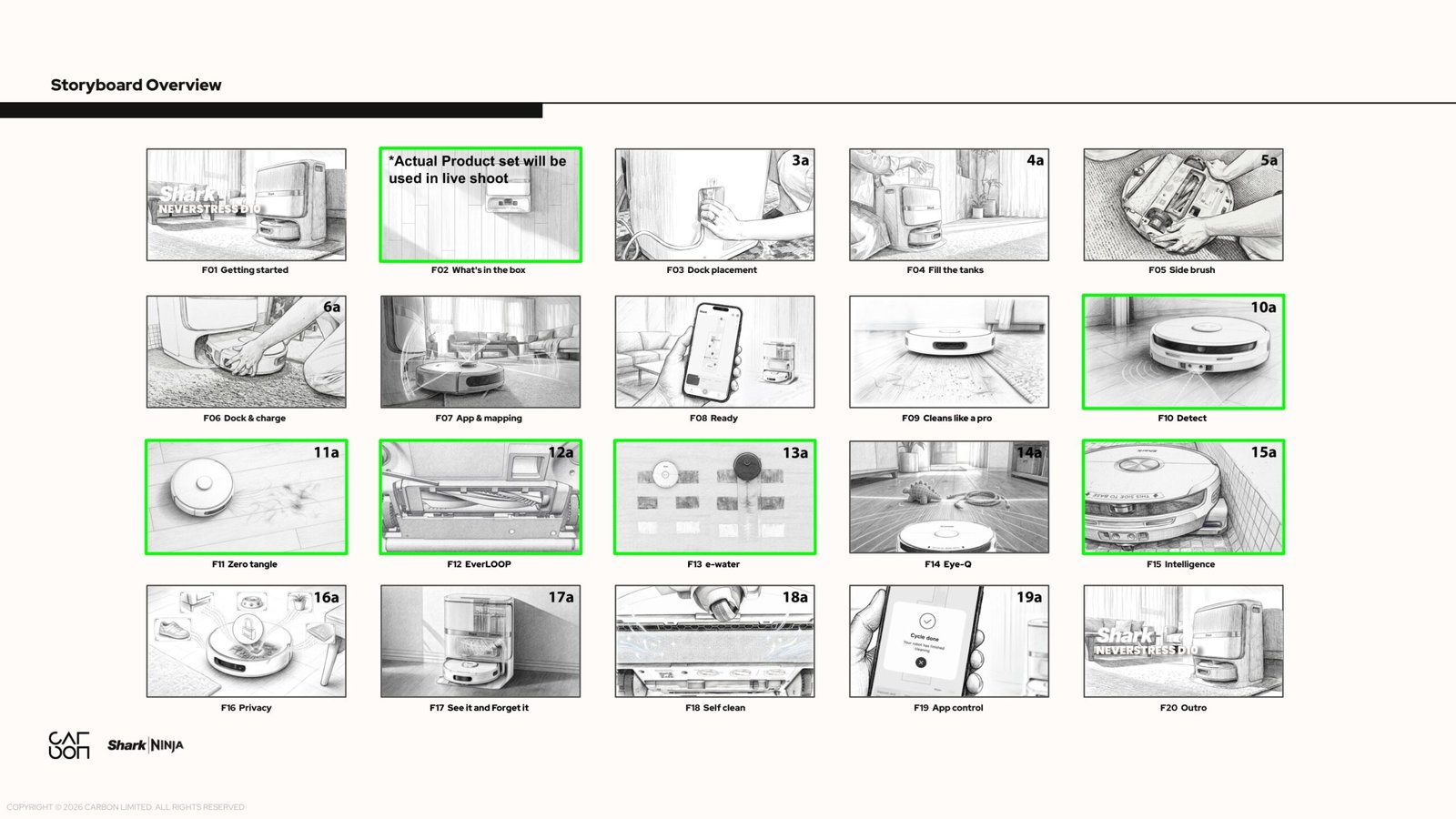
Charles Cheong and I developed the storyboard together. Across 20 frames, we planned the full journey from unboxing, dock placement and app setup to the cleaning, navigation and self maintenance systems. The boards brought the action, camera view, supers and voiceover together before the shoot.
The challenge was to make a detailed instructional film feel calm and considered. Each hand movement and product detail had to read clearly, while the lighting, composition and pacing maintained a warm, premium domestic aesthetic. Close views explained the practical steps; live action and CG transitions revealed the technology inside.
The final production review tested those ideas against the real location, including mirror reflections, clearance beneath the tap for filling the tank, and enough time to read the app instructions. These boards are the complete sequence linked from the final client production deck.
Showing what is happening inside
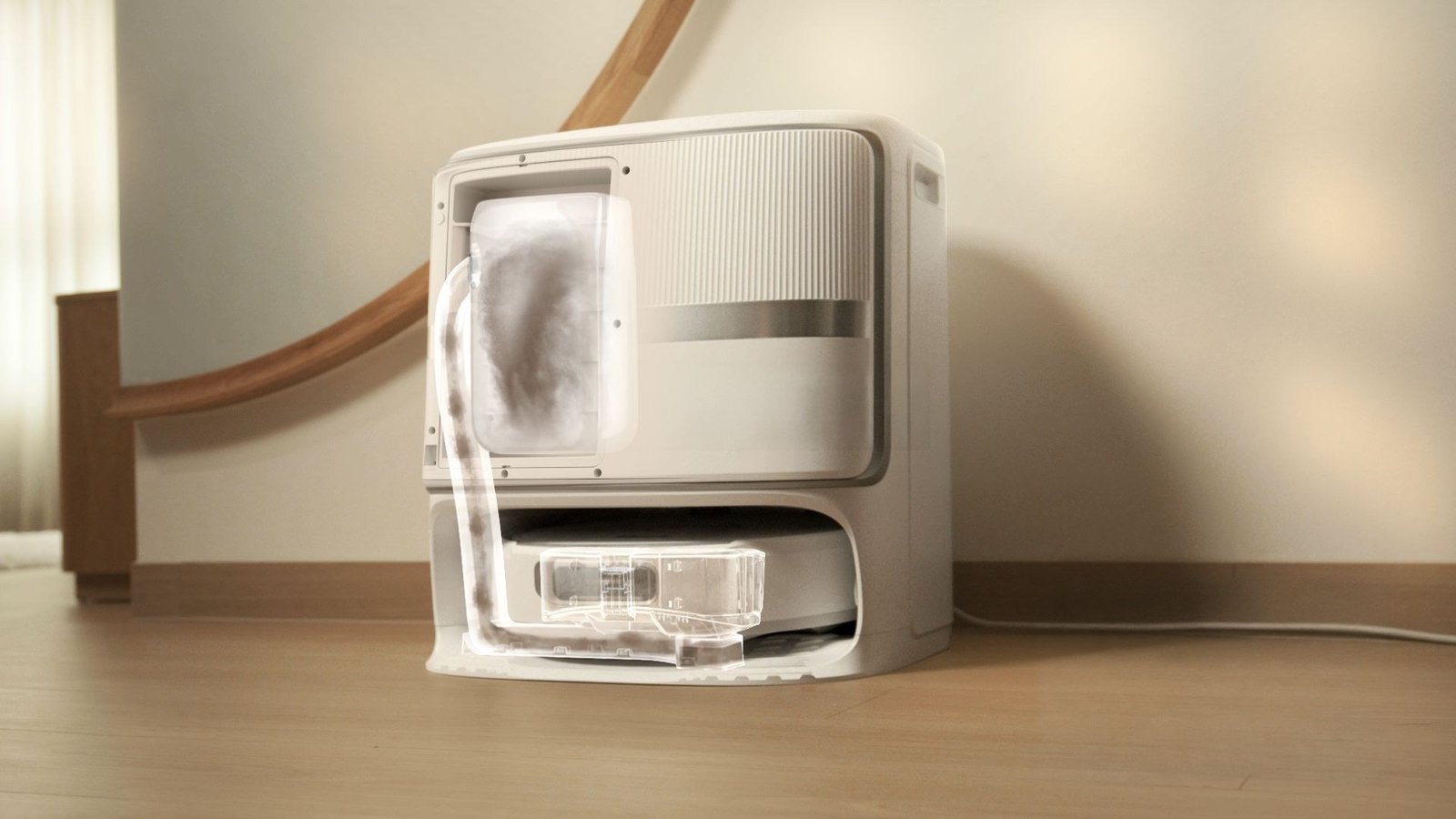
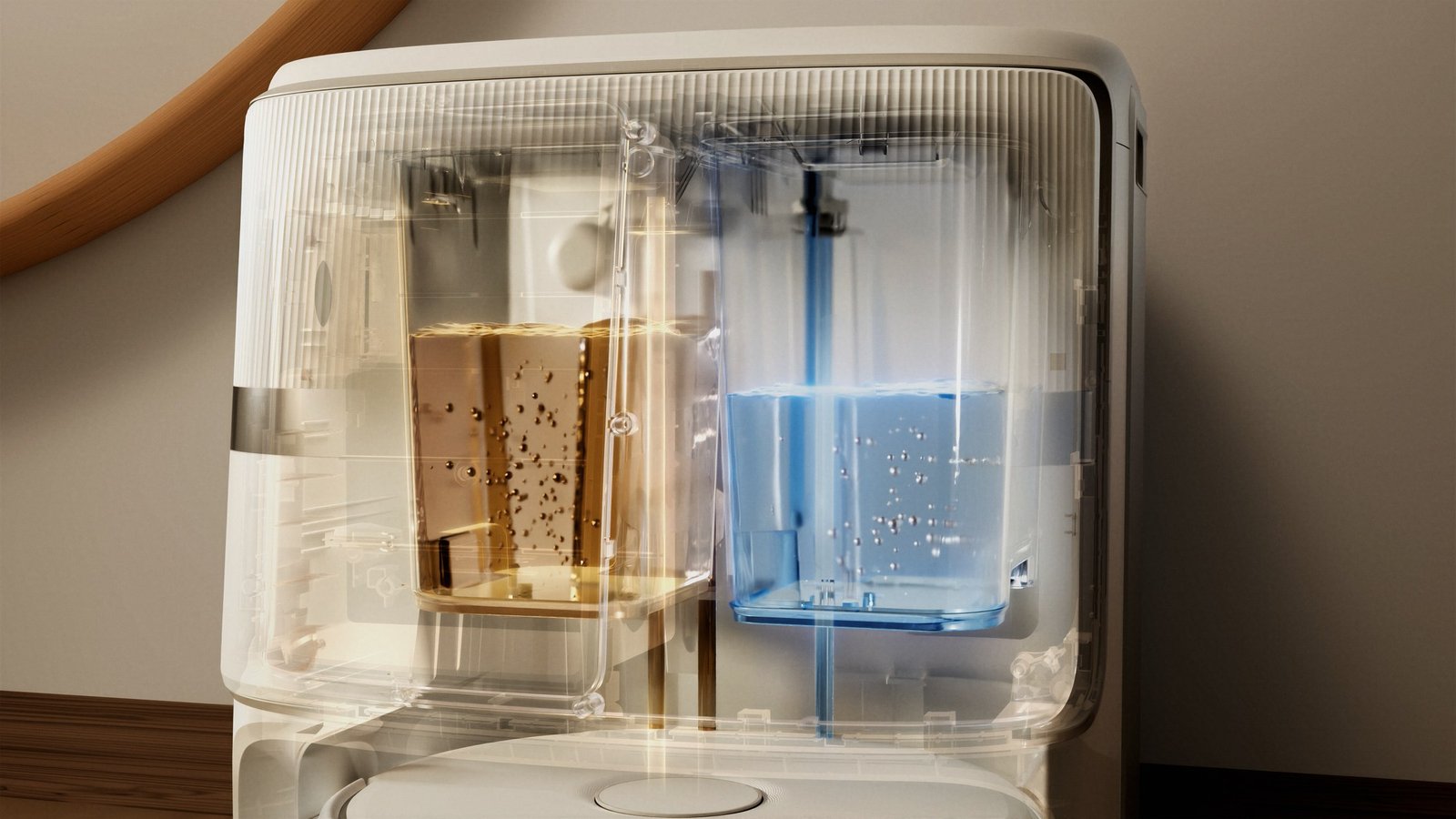
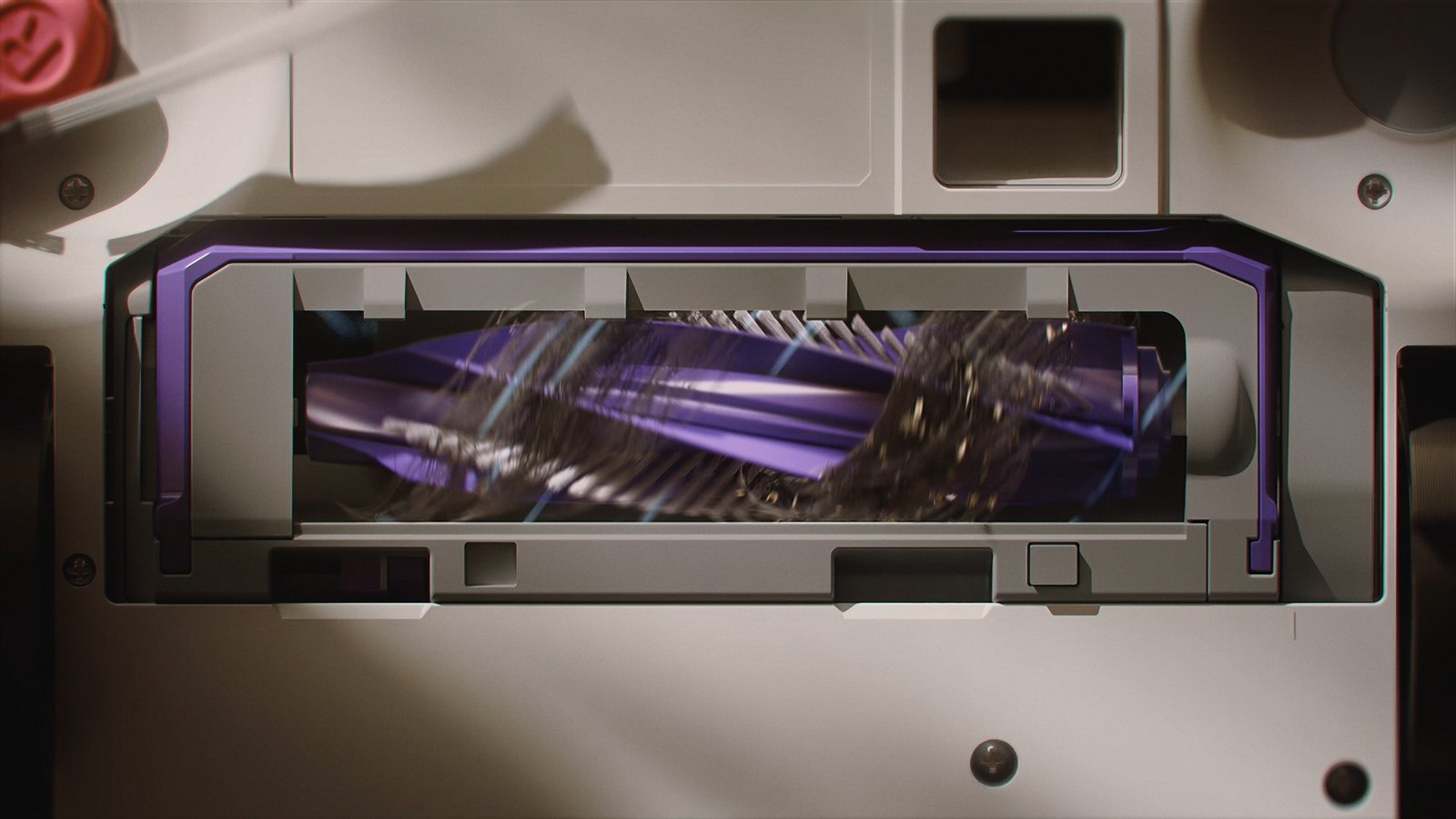
CG opens the casing to explain the brush, mop, water system and dock. Transparent housings and matched camera angles connect the internal views to the physical product the viewer has already seen.
The dock sequence is a useful example: the live product leads into a cutaway of its systems. Short graphic labels guide attention while the animation shows the process.
Matching the CG to the filmed home
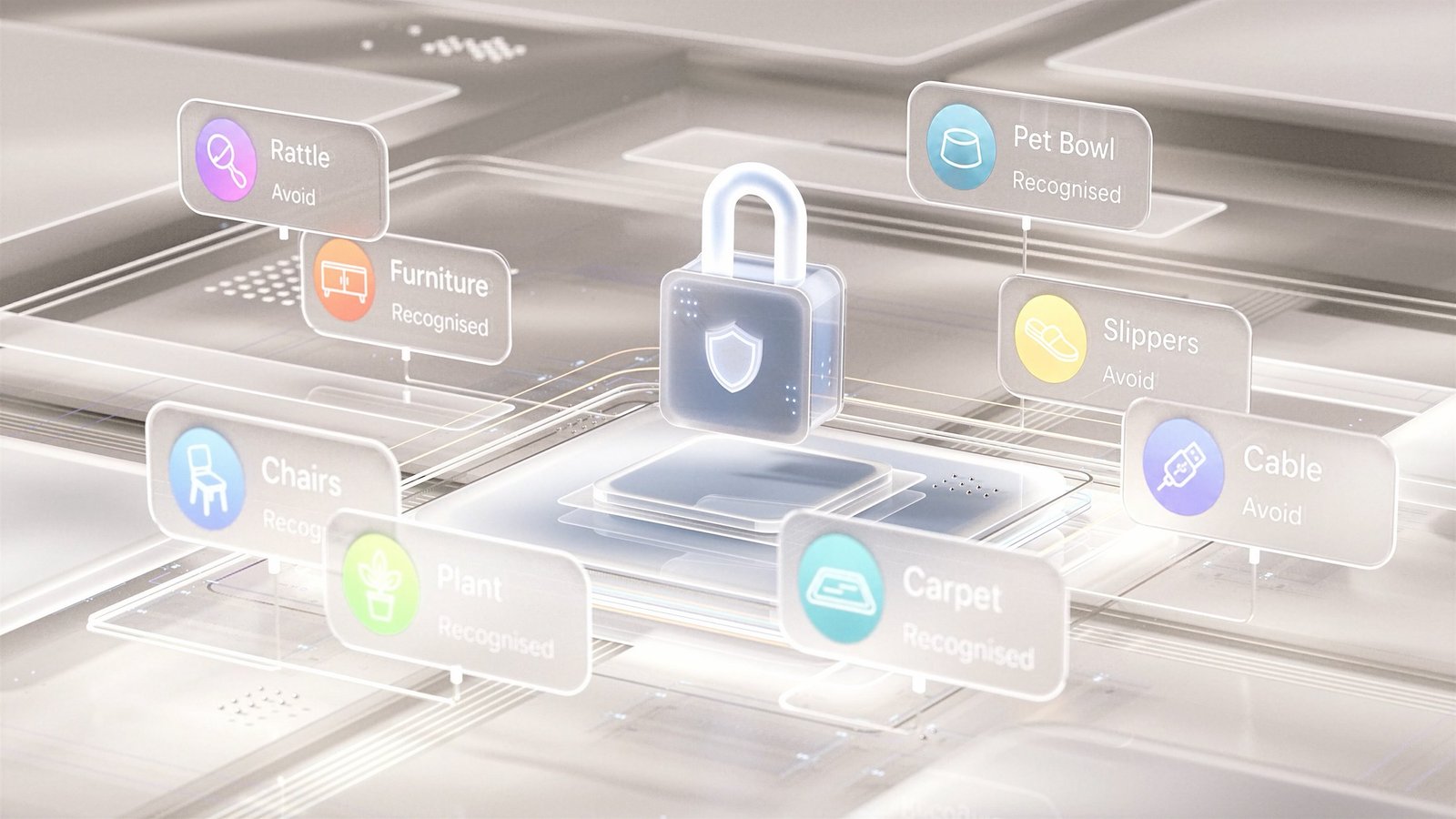
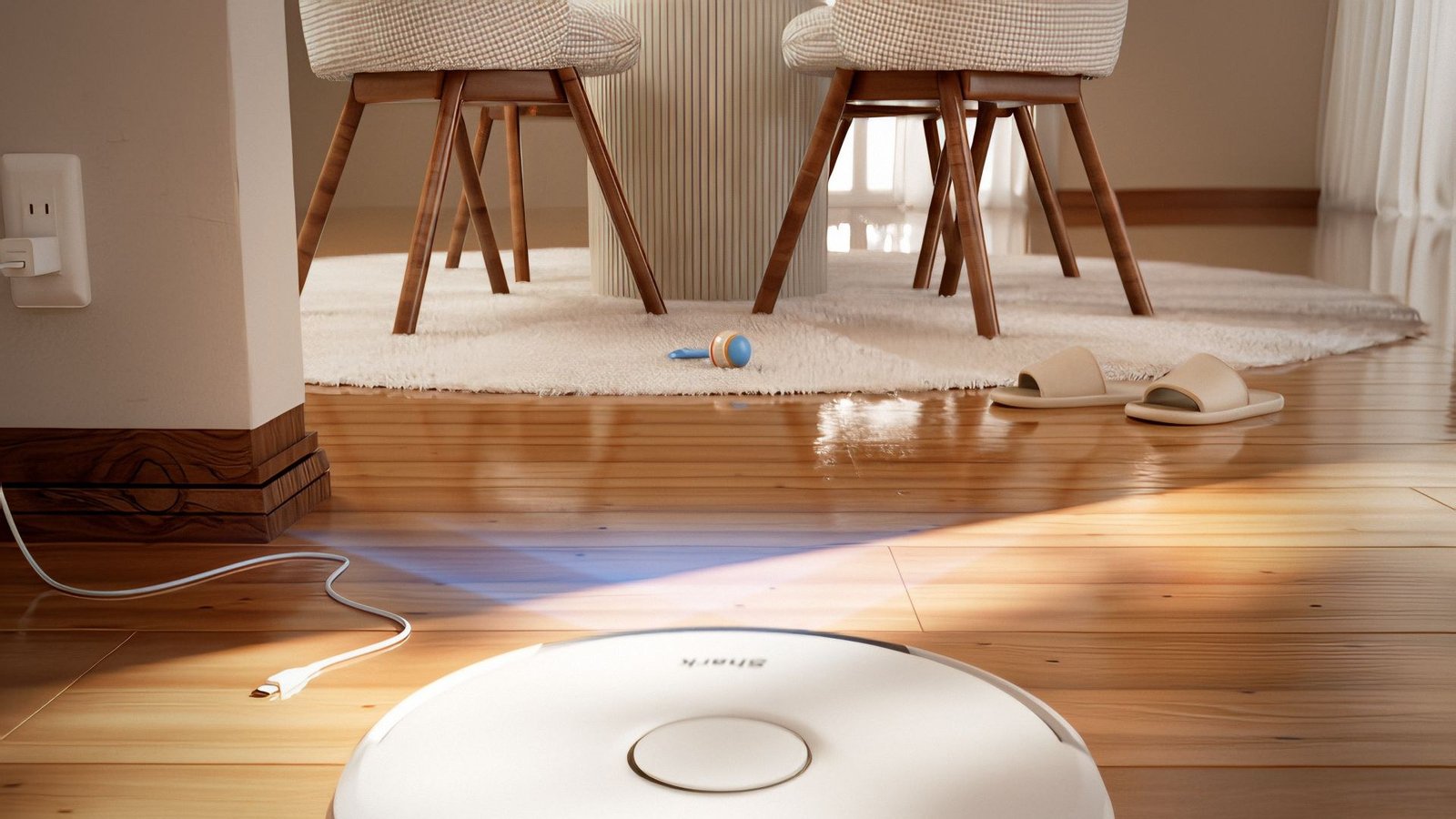
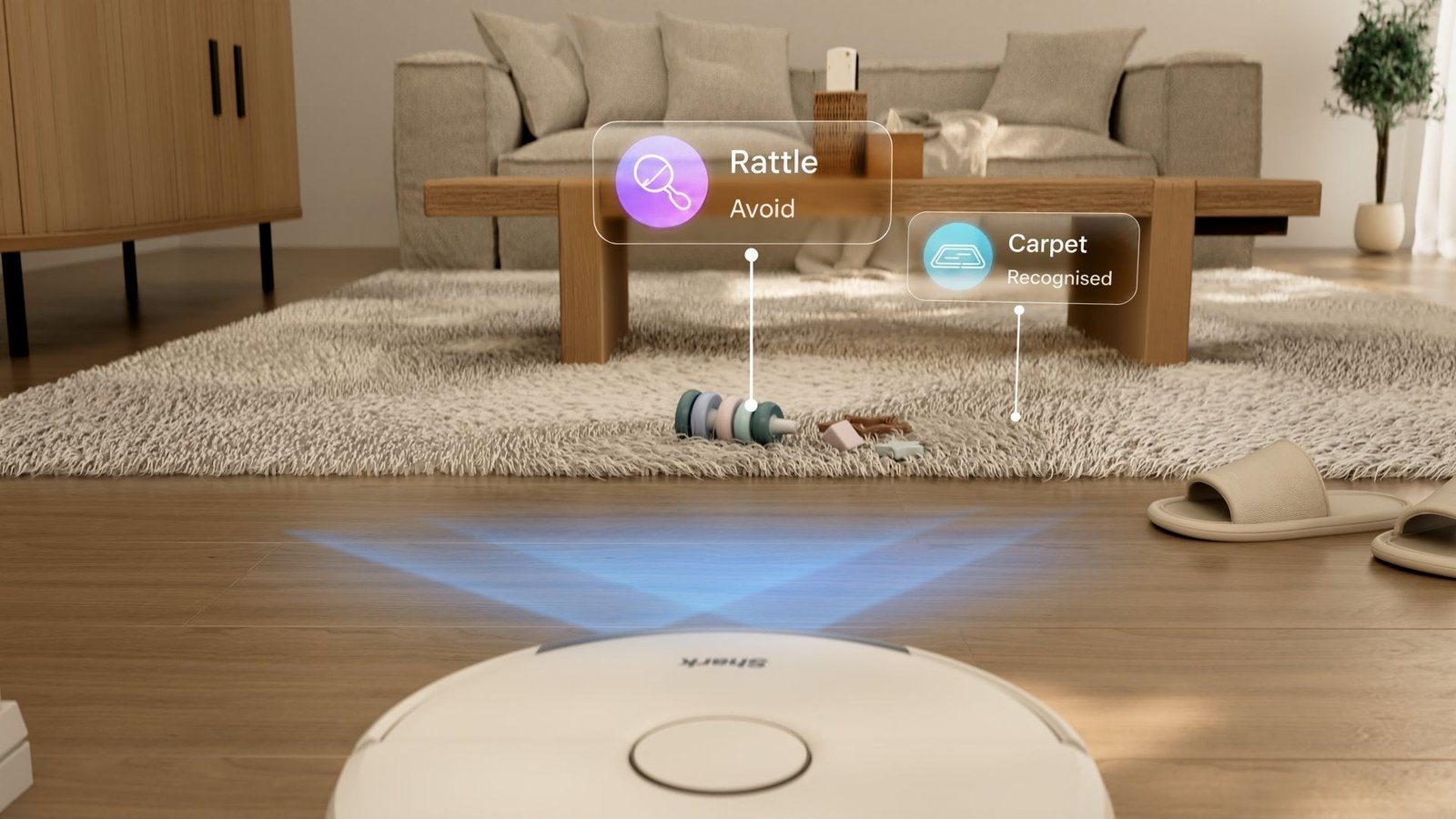
The recognition sequence went through a visible environment revision. The earlier CG setting used a different furniture arrangement and timber floor. The later treatment adjusted the sofa, toys and grade to bring it closer to the filmed room.
That made the transition more coherent. Object labels and sensing graphics could sit within a familiar domestic scene, explaining the robot’s behaviour through things a viewer recognises, such as cables and slippers.
A clear set of product stories
The finished Setting Up and Key Features films use the same visual language for different viewing needs. One takes the user through the first steps; the other explains the cleaning and navigation systems in more depth.
Carbon team
- Creative direction
- Matthew Crescenzo
- Associate creative direction
- Charles Cheong
- Art direction and motion design
- Jatin Gupta
- Design director
- Kyle Nai
- Project managers
- Aisyah · Aigner
- Storyboards
- Jatin Gupta · Charles Cheong
- Designers
- Blair · Yian · Ying Lin · Ching tong Poy